How to Build a Professional Photography Portfolio

When photographers start building a portfolio website, most of the advice online sounds the same:
“show your best work,”
“keep it simple,”
“make it look clean.”
And while those things matter, they don’t actually tell you how to structure a professional photography portfolio in a way that feels clear to clients, editors, and brands.
After years of refining my own website and studying how established photographers present their work, I landed on a structure that is simple, strategic, and aligned with how industry professionals actually review portfolios.
Here’s the exact architecture I use, and what to include on each page if you want a photography portfolio that feels editorial, professional, and client-ready.
Why You Need a Photography Portfolio (Even If You Already Post on Instagram)
Social media is great for visibility…but it’s not really a portfolio.
A professional photography portfolio gives your work context, structure, and credibility in a way that an algorithm-driven feed simply can’t.
Editors, brands, and agencies don’t just want to see that you can take beautiful photos, they want to understand how you organize your work, how you tell stories, and whether you can present yourself professionally.
A well-structured portfolio allows you to:
Present your work in clear categories so clients find what they need quickly
Guide viewers through your strongest images without distractions
Communicate your creative identity beyond trends or viral posts
Create a space that you fully control — your own visual home on the internet
Most importantly, a portfolio signals intention. It shows that you take your craft seriously and that you’re ready to collaborate professionally.
01. A Landing Page That Introduces Your Work Quickly
Your landing page is not your entire portfolio.
It’s an invitation — a first impression that gives people a sense of your visual language before they explore deeper.
On my landing page, I include:
a small, curated selection of images that represent my overall style
a clear button inviting visitors to explore the full portfolio
a short introduction that explains who I am and what I photograph
This page should answer three questions immediately:
What kind of photographer are you?
What does your work feel like?
Where should visitors go next?
Think of it like the cover of an editorial publication — a glimpse into your world, not the entire story.
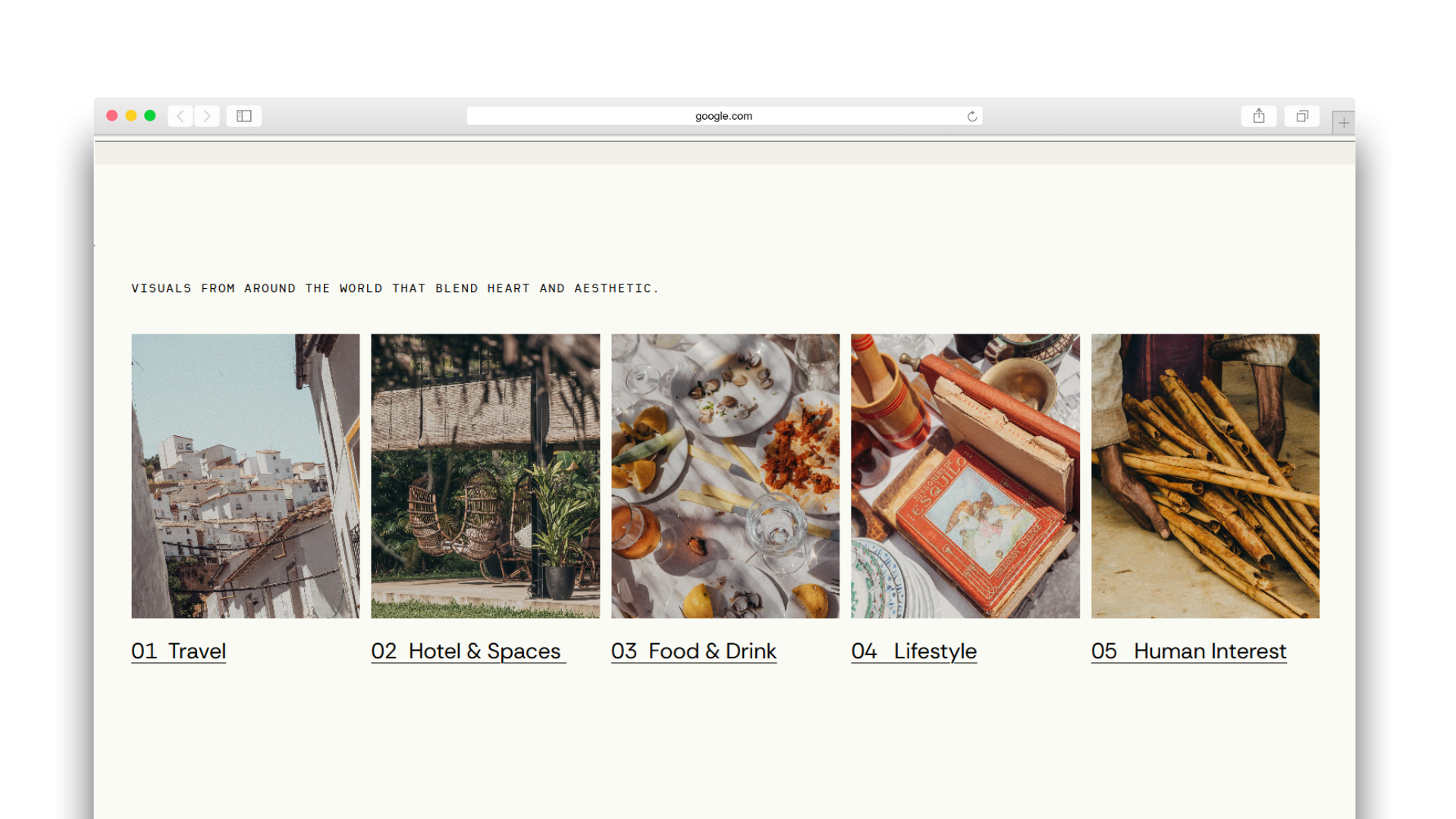
02. Category-Based Portfolio Sections (The Industry Standard)
While some photographers experiment with narrative structures, most professional portfolios — especially at editorial and commercial levels — are organized by clear categories.
This allows clients to find exactly what they need quickly.
Typical categories might include:
Travel
Editorial
Hospitality
Lifestyle
Food & Culture
Fashion
Organizing by categories communicates clarity and professionalism. Editors and brands often look for specific types of work, and a structured layout helps them evaluate your experience within seconds.
Optional: A Stories or Projects Page
In addition to categories, some photographers include a dedicated “Stories” or “Projects” section.
This page allows you to present:
longer visual narratives
editorial features
cohesive travel stories
documentary-style series
It’s optional , but powerful if storytelling is a core part of your work.
03. An About Page That Humanizes Your Portfolio
Photography is personal, and most clients want to understand the person behind the images.
Your About page should include:
a short biography
your creative perspective
your location and travel availability
publications or collaborations (if applicable)
a portrait or personal image
This is where visitors connect with your voice, your background, and your approach to storytelling.
It doesn’t need to be long, but it should reflect who you are and the values behind your work.
04. An Optional Services Page (Only If It Makes Sense)
Not every photographer needs a services or packages page. I don’t have one, for example.
If you work primarily on editorial assignments or custom commissions, you may prefer to keep your website focused on showcasing your work and storytelling rather than fixed pricing.
However, a services page can be useful if you offer:
Brand photography packages
Content creation bundles
Portrait sessions
Workshops or educational offerings
The key is clarity. Only include this page if it reflects how you actually work.
05. A Clear Contact Page and Strong Call to Action
Your contact page is one of the most important elements of your photography portfolio website…and one of the most overlooked.
Make sure visitors can easily find:
A simple contact form
Your email address
Your base location
Travel availability
A clear invitation to collaborate
Avoid complicated forms or excessive barriers. If someone wants to work with you, the process should feel effortless.
Why This Portfolio Structure Works
This architecture mirrors how editors, brands, and agencies actually review photography portfolios.
It offers:
a strong visual first impression
clear category navigation
personal context through an About page
flexibility with optional services
a straightforward way to get in touch
Instead of overwhelming visitors with hundreds of images or confusing layouts, this structure guides them naturally through your work.
The Squarespace Photography Portfolio Template I Created From This Structure
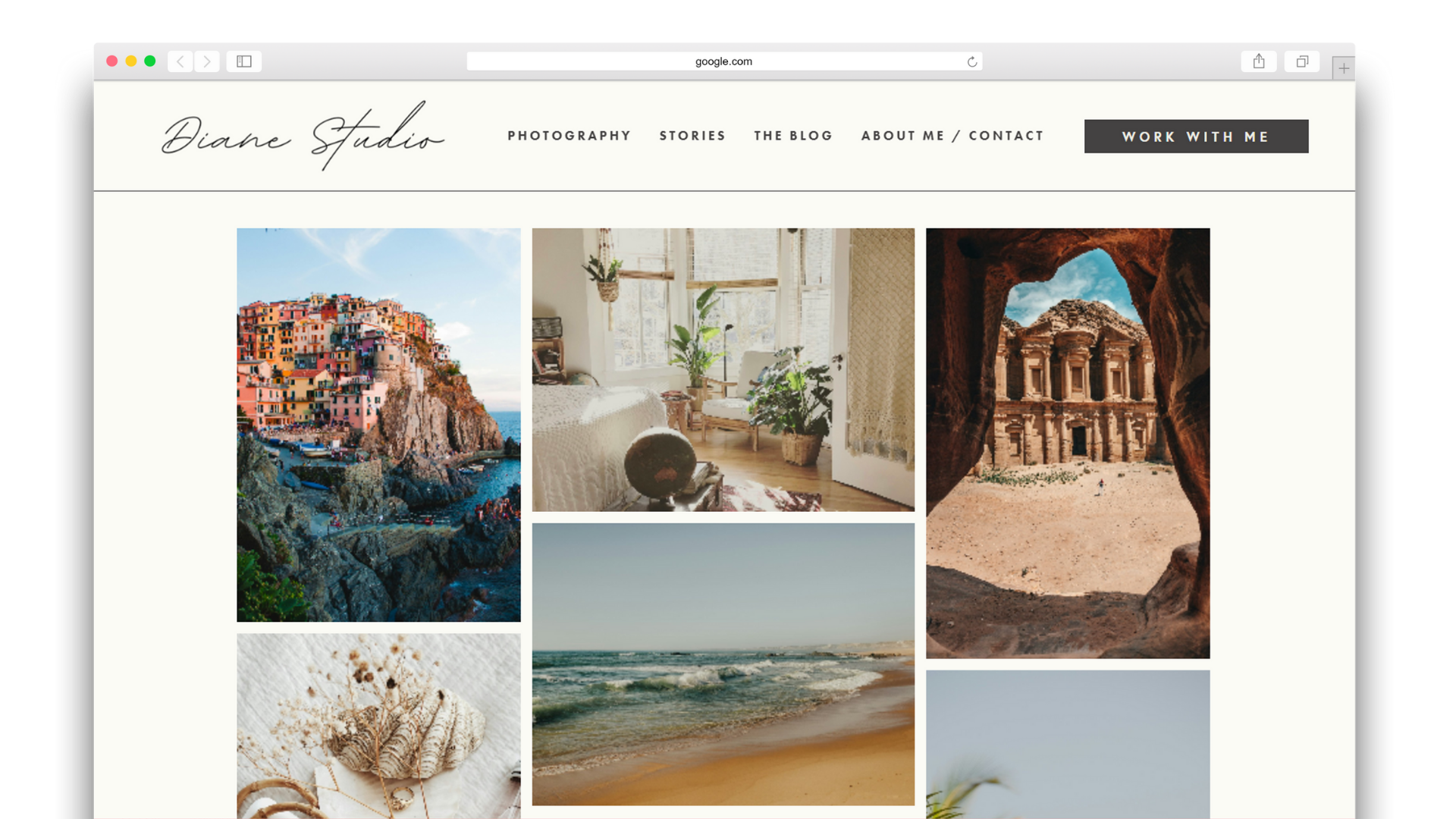
After spending hours and hours rebuilding and redefining my own portfolio multiple times, I realized that I wish I had a starting point that could’ve saved me sooo much time. Time I could’ve spent focusing on creating more, versus figuring out how to showcase my work.
With that in mind, I turned my portfolio into a template to make it easier for other photographers.
I built the template built around this exact structure:
a curated landing page
category-based galleries
optional stories/projects section
a strong About page
clear contact and calls to action
If you’re building your own photography portfolio website and want a framework already designed for professional presentation, be sure to checkout my template below.
It’s built in Squarespace, so it’s really easy to do it. All you have to do is add in your work, replace texts, change fonts and colors if you want…and hit publish.

This Squarespace Template is made for photographers and creatives who need a beautiful, professional and budget-friendly way to showcase their amazing work.
This template is modeled after my own photography portfolio, which I've been refining for months.
SITE DEMO: https://photography-portfolio-template.squarespace.com/
PASSWORD: demo
▹ Perfect for photographers, painters, or creatives
▹ Easy to edit on Squarespace!
▹ Designed to showcase your work
▹Comes with a 6-month free trial to Squarespace, so there's no rush launching!
▹ Save 20% on your annual Squarespace membership when you launch: https://tinyurl.com/Save20SQSP
IMPORTANT!
I will need the e-mail account you’re using for your Squarespace account to transfer your template to you! So make sure to make this purchase with that e-mail, or if you haven’t created it yet, go ahead and create it and let me know at info@holaemilia.com
explore more photography